
You want a standing desk, but the electric ones cost more and the crank ones look like a workout. Pick electric if you’ll switch positions more than once a day; pick a hand crank if you’ll mostly sit and stand rarely, or if budget comes first. Below is a spec chart, a cost-per-use breakdown, and honest flaws for each type.
Hand Crank vs Electric Standing Desk: The Quick Chart
The hand crank vs electric standing desk choice is really about how often you’ll move it. Here’s how they compare on the specs that matter.
| Factor | Hand crank | Electric |
|---|---|---|
| How it moves | Turn a handle that drives a gear | Press a button; motor lifts |
| Speed | Slow; many turns per change | Fast; one example frame lists 1.6 in/sec |
| Height presets | None | Usually 2–4 memory buttons |
| Noise | Near silent | Motor hum; one frame lists 40 dB in motion |
| Power needed | No | Yes; outlet nearby |
| Heavy setups | Harder to crank | Dual motors handle more weight |
| Parts that can fail | Few (gear, crank) | More (motor, controller, cables) |
| Price | Lower | Higher; budget models from about $199 |
Key takeaway: electric wins on convenience; crank wins on price, silence, and simplicity.
The Habit Problem Nobody Mentions
Here’s the catch: a standing desk only helps if you actually stand. Picture this: it’s 2 p.m., you’re mid-email, and switching means cranking a handle for half a minute.
You’ll skip it. Most people do.
FlexiSpot’s own buyer’s guide notes that crank desks mean adjusting slowly and checking your height manually each time. That friction is why many crank-desk owners end up sitting all day. In the hand crank vs electric standing desk debate, this matters more than any spec.
Electric Standing Desks: Pros, Cons, and Who Should Skip
Electric desks, from FlexiSpot’s budget E-series to dual-motor frames like Desky’s, make switching nearly effortless. One touch, a few seconds, done.
- Pro: Memory presets mean your sit and stand heights are exact every time.
- Pro: Dual-motor frames carry heavy loads. Desky’s dual frame lists 330.7 lbs.
- Con 1: Motors hum. Fine in an office, noticeable in a quiet studio at night.
- Con 2: Power outages or a dead control box leave you stuck at one height.
- Con 3: Cable management gets messy when the desk moves up and down.
Who Should Skip This: anyone without an outlet near the desk spot, or who’ll stand once a week.
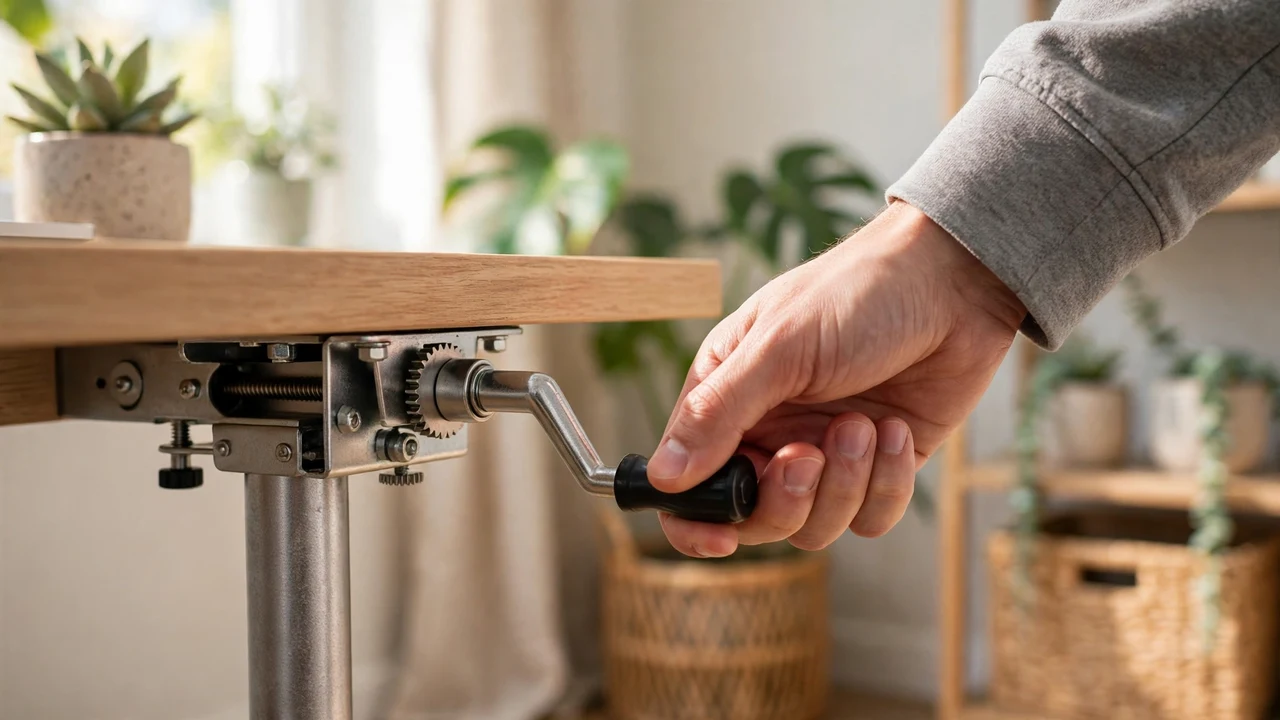
Hand Crank Standing Desks: Pros, Cons, and Who Should Skip
Crank desks use a handle and gear to raise the frame. Simple, cheap, and silent.
- Pro: No outlet needed, so it can go anywhere, even by a window.
- Pro: Fewer parts to break.
- Con 1: Slow. Each change takes real effort and many turns.
- Con 2: Heavy monitors and gear make cranking harder and can strain the gear.
- Con 3: The handle sticks out and can catch knees or bags in tight spaces.
Who Should Skip This: people with wrist or shoulder pain, or anyone running two big monitors.
Cost Per Use: The Math That Settles It
Now, you might be wondering if the price gap is worth it. Run the numbers on daily use.
| Scenario | Hand crank (est. $200) | Electric (est. $300) |
|---|---|---|
| Switch 4x/day, 250 workdays, 3 years | 3,000 switches, about $0.07 each | 3,000 switches, about $0.10 each |
| Realistic use if switching is a chore | Maybe 1x/week: about $1.28 per switch | Still 4x/day |
The truth is, an electric desk you use daily beats a cheaper crank desk you never adjust. Prices here are estimates; check current listings.
Hand Crank vs Electric Standing Desk for Small Apartments
Small spaces change the math. Crank handles stick out, and electric desks need an outlet and cable slack. Measure your nook before you buy.
- Desktop size: 40 to 48 inches wide fits most apartment corners.
- Depth: 24 inches is the minimum for a monitor at a comfortable distance.
- Clearance: leave space for the crank handle to turn without hitting a wall.
- Noise: in a studio, a partner sleeping nearby will hear a motor at 6 a.m.
For more ways to fit a desk into a tight floor plan, see space-saving furniture for studios and how to organize small spaces.
Which One Should You Buy?
- Buy electric if you work from home full-time, use multiple monitors, or share the desk with someone of a different height.
- Buy a hand crank if budget is tight, there’s no outlet nearby, or you mostly want a desk at one custom height.
- Consider a desktop converter if you can’t replace your current desk at all.
Bottom line: the hand crank vs electric standing desk choice comes down to whether you’ll really switch often.

FAQs
Is a hand crank standing desk worth it?
Yes if you rarely change height or need silence and no power cord. No if you plan to switch several times a day.
Are electric standing desks loud?
Not very. Motors hum while moving, with some frames listing around 40 dB, then go silent.
How long do electric standing desks last?
Many come with long frame warranties, some up to 10 years, but motors and controllers are the usual failure points.
Can a crank desk hold two monitors?
Often yes, but heavier loads make cranking harder. Check the weight rating and stay well under it.
Final Verdict
In the hand crank vs electric standing desk matchup, electric is worth the extra money for daily switchers, and crank is the budget pick for occasional standers. Be honest about your habits, measure your space, and buy the one you’ll actually use.
Building out a home office on a budget? Check where to buy cheap apartment furniture.